Dropshipping Email Marketing: 7 Automated Flows (2027)
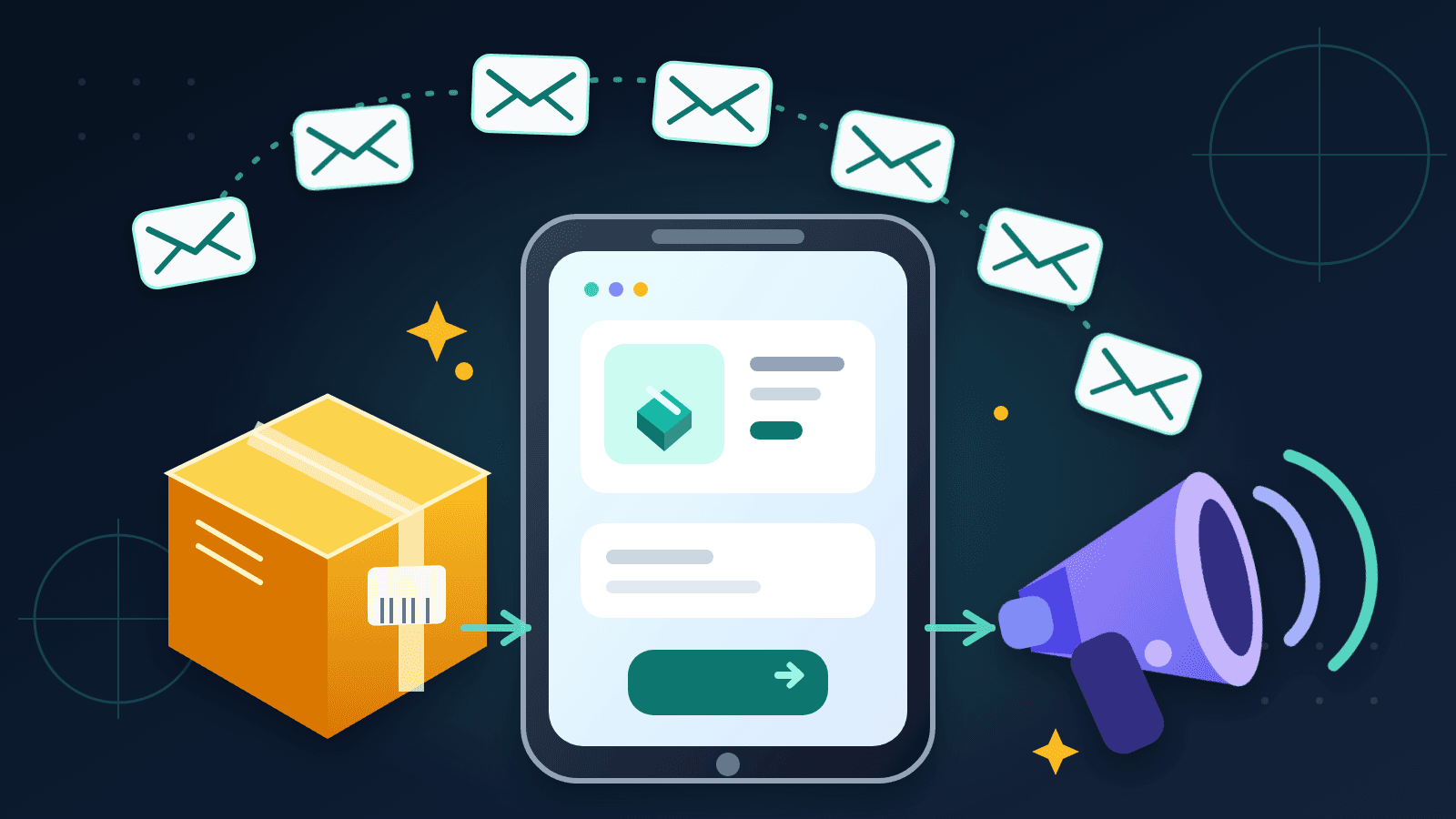
We recommend using 7 different automated email flows for the customer journey from sign up to repeat purchase: welcome, browse abandonment, cart and checkout recovery, order confirmation, dispatch and tracking, delivery and review, and win-back. Once connected to your shop, these emails will react to customer behavior so you can remain relevant on a daily basis without having to compose and send new emails every day.
That point is worth making though. Whilst a weekly newsletter to subscribers may be suitable in many circumstances, it cannot replace the message a shopper needs at a specific moment. A customer who has just paid for a product wants reassurance. A customer who has been waiting for 6 days for a parcel wants an update on its tracking. A past customer wants some reason to return to your site.
We provided a simple guide including 7 flows that can be implemented using your email marketing platform (Shopify Messaging or other), a starting point for a schedule, and relevant metrics to track. While Tradelle handles the products and the fulfillment to your customers, you can implement a suitable marketing experience in email for the customer journey from the very first product he or she views until the parcel shows up at their door.
The seven-flow dropshipping email plan
You can model these out as a single conversation. Each flow is a conversation with a purpose that begins with a customer action and ends with a resolution to a goal. So, for example, a shopper who completes a purchase should exit from the cart-recovery flow. A customer who receives a parcel should enter into the delivery flow. Your email service provider can manage these rules once you have set up the start and end points for each flow.
The timing tables below are for a general dropshipping store. This can be changed based on the delivery time, the price of the product and the purchase cycle of the product. For example, a $25 gadget will create a different amount of consideration than a $250 piece of equipment.
Why seven flows instead of one big post-purchase sequence?
You would trigger different questions in the checkout flow and after it. Combining every message after checkout makes it harder to tell whether a customer needs an address correction, a dispatch update, or a review invitation. Instead, use separate flows and measure them as separate jobs, with clean timing.
A six-month Winning Hunter analysis of 5,000 DTC brands found that the median store had four active flows, while its top performers had seven or more. The useful lesson is the coverage. Stores that communicate across the whole customer journey can avoid gaps where interest or trust quietly disappears.
| Flow | Trigger and first send | Main job | Suggested length |
|---|---|---|---|
| Welcome | New subscriber, immediately | Earn the first order | 3 emails over 5 days |
| Browse abandonment | Product view without cart activity, after 4 hours | Help the comparison | 2 emails over 24 hours |
| Cart and checkout recovery | Abandonment, after 1 hour | Recover purchase intent | 3 emails over 48 hours |
| Order confirmation | Completed purchase, immediately | Confirm and reassure | 1 email, plus support if needed |
| Dispatch and tracking | Fulfilled order, immediately | Explain what happens next | 2 to 3 updates |
| Delivery and review | Delivered order, after 2 days | Support, review, next purchase | 3 emails over 30 days |
| Win-back | Customer inactivity, after 60 to 90 days | Restart the relationship | 2 emails over 7 days |
1. Welcome flow: turn a signup into a first order
The purpose of the welcome flow is to deliver on the promise that you made in order to get people to join your list in the first place. It’s also to establish your store as trustworthy and to provide subscribers with a reasonable next step. You don’t need more than 3 emails to deliver this for a new store.
Email 1: deliver the promise immediately
This email should go out within minutes of the subscriber signing up for your newsletter. This first email should contain the discount code, guide, etc. promised in the sign-up form and then a clear 1-sentence description of what you sell and who you sell to followed by a Call To Action such as a link to a specifically curated collection or the store’s flagship product.
A simple subject line is "Your welcome code is inside". This welcome email includes a thank you, a 5-day window to use WELCOME10, and a reference to 3 products customers visit most after joining. Make sure the code is visible on mobile and test it before turning on the email.
Email 2: answer the buying question on day 2
Use the second email to elaborate on the problem the featured product is trying to solve. Include a picture or video of the product in action. Anticipate and answer the main objection. Share a real customer testimonial if you have any. A short product demo is far better suited for this email than a lengthy founder story.
A lot of the work is done by product choice. This is how Tradelle's Product Picks gives you demand, competition, cost, and profit data behind each item, so you can build the welcome flow around a product with a real case for buying it. That is much easier than trying to write persuasive emails for a product you chose on a hunch.
Email 3: reduce risk on day 5
End your sequence with practical assurance to customers regarding issues such as delivery times, returns, etc. Clearly state the guarantee that you actually offer to your customers. If the welcome offer has an expiration date for new customers, state the real date, and do not manufacture a countdown if the offer does not expire.
2. Browse abandonment: help shoppers who are still comparing
The point of Browse abandonment emails to identified subscribers is that they have looked at a product but have not added it to the cart. They are at an earlier stage of decision making than cart abandoners so a hard sell is inappropriate and the email should help them compare, understand or even imagine having the product.
Shopify's automation guide places browse abandonment between the welcome and cart flows for exactly this reason. The shopper has shown interest and now needs a reason to take the next step.
A two-email structure that stays helpful
- Show viewed product, main benefit of product and link to product after 4 hours.
- After 24 hours, answer the most common question and provide two very related alternatives.
- Stop the flow after purchase or when subscriber enters a specific recovery sequence.
For size, compatibility, materials, delivery, and care instructions, you can add details to the second email. This could be a sizing guide for posture correctors or details on cleaning and storing kitchen gadgets. These are questions that are likely already being emailed into your support inbox.
Don’t send a browse-related email after someone has accidentally opened one page. Most email platforms offer settings to require repeat views, a minimum visit duration, or a particular number of sessions. Exercising a bit of restraint here will ensure you don’t create the perception of spying on your subscribers, and help maintain your sender reputation.
3. Cart and checkout recovery: remove the last objection
Recovering cart and checkout abandoners allows you to target customers who have shown greater buying intent than those who simply view your products. A cart abandoner is someone who has begun to complete the purchase but abandoned their cart before starting the checkout process. A checkout abandoner is someone who starts the checkout process but fails to complete the order when entering shipping or payment information in the checkout process.
Shopify says a checkout becomes abandoned when it stays incomplete for more than 10 minutes after the customer provides an email address. Its abandoned checkout recovery feature can automatically send a link back to the customer's cart. It also suppresses recovery in several cases, including a completed purchase or unavailable products.
Use three emails with three different jobs
- After 1 hour: remind the shopper what is in the cart and restore the checkout link.
- After 24 hours: address the main objection, such as shipping time, sizing, quality, or returns.
- After 48 hours you should only make a final offer if your margins allow it.
Place the product image and return link at the top of your email. Test the experience on your own phone. If the shopper has to scroll past a giant logo before seeing the item, the important part is buried.
Don’t start every sequence with a discount offer. Your shoppers will learn to abandon their cart in hopes that you will offer them a code for it later. So instead, address the uncertainty in purchasing. If shipping is the shopper’s objection to purchasing then show them your delivery window. If it is the quality then show them a demo or reviews of the product. The incentive to come back and make the purchase should be in the final email to them and you should test to see if it adds enough recovered profit to cover its cost.
For a deeper checkout-focused walkthrough, read our guide to reducing abandoned carts on Shopify. Pair that work with product image optimization so the reminder email and the product page on the website tell the same visual story.
4. Order confirmation: answer the questions that follow payment
The order confirmation is sent immediately after a purchase was made. It’s a service message for the customer, containing the order details, what the customer paid, the shipping address, and a way to contact support. All information should correspond to the customer’s order placed on your online shop.
The new dropshipping customer wants to know if the order was placed, when it will be shipped and if someone will answer his or her questions in case of problems. Your confirmation can answer these questions before they turn into tickets.
What belongs in the confirmation
- Order number, items, variants, quantities, and total paid.
- Shipping address with a clear way to request a correction.
- Expected processing and delivery time from the product page.
- Support Link with brief description of what happens next.
Don’t use cross-selling in this initial message. A customer who has not received a tracking number yet is not ready for another checkout. Reassure them first and later introduce related products after the product has been dispatched or delivered. Then the suggestion comes more naturally.
This is also where your operations affect your marketing. Fulfillment by Tradelle sources the product, performs quality control, and ships the order for you. That gives you a dependable process behind the promise in your confirmation email. Your copy should still use the delivery estimate for the selected product and destination, rather than one blanket promise for the whole catalog.
Clear confirmations can prevent a lot of frustration, which can then turn into a dispute. Our guides to handling customer complaints and managing returns and refunds are useful companions when you write the support and returns portions of this email.
5. Dispatch and tracking: keep the delivery story moving
The dispatch flow begins when fulfillment starts. Send the most important message to customers with the tracking number and a link to the carrier’s website or to the order status section on your website as soon as this information is available. Customers should not have to email you to find out that their parcel has shipped.
Tradelle's automatic Tracking Number Updates syncs tracking info with Shopify and notifies the customer via Shopify on dispatch. Subsequent updates can then be handled by your email platform and sent as part of your brand’s delivery updates.
Use two or three updates, not a daily countdown
- Confirm the shipment and provide tracking details to customer at the time of dispatch and reiterate the estimated time of delivery to customer.
- Stuck tracking: explain what’s going on and point to where people can get help.
- When out for delivery: remind the customer what to expect, if your tools support this trigger.
You don’t need to send a ‘delay’ email when all is well. Too many status messages can clog up your tracking updates. Keep your dispatch and delivery-day messages brief. Most stores are fine with that.
Write the delay email before you need it
Prepare a template for the moment a parcel stops updating. Describe what you can see and what you are going to do to clear matters up. Instead of saying “Your order is on its way” over and over again with no evidence to support it, “Your tracking has not changed for four days. We have asked the fulfillment team to check the parcel, and we will update you by tomorrow afternoon” is far more useful.
By providing good tracking communication, we can also reduce unnecessary support work. The supplier event is automatically connected to your customer’s inbox, creating the feeling of organization in your small store even before you have a support team in place.
6. Delivery, review, and repeat purchase: start the next order
The delivery flow is triggered by the carrier’s ‘delivered’ status. If this status is not available then use the most conservative estimate from your real shipping times. An order date is too vague as a customer waiting 12 days for delivery has had a completely different experience from a customer waiting 4 days.
Winning Hunter makes the same distinction in its brand analysis, recommending that second offers be timed from delivery rather than purchase. This is especially important for dropshipping, where delivery windows vary by product and destination.
The three messages to build
- 2 days after delivery: check that everything arrived OK and link to support.
- 7 days after delivery: ask for product review when enough time has passed for the customer to have tried out the product.
- Show the user the next relevant purchase he/she might need at the likely replenishment or complementary-product point.
The first email gives a dissatisfied customer a direct route to help before you ask for public feedback. Keep the tone genuine. "Did everything arrive the way you expected?" works better than a cheerful review request sent to someone whose parcel arrived damaged.
For the review email on purchases you’ve sold through your store, make the request specific. Rather than just asking them to leave a positive review for your item, link to the item that they purchased and ask them about a key feature of the item, such as how it fits, how easy it is to use, what kind of results they got with it. Don’t offer any kind of reward for a positive review.
Use the real product usage cycle in your next-purchase email. For example, a one-month supply product has a different reorder window than a durable product like a phone stand. For durable products suggest a compatible accessory or another product that helps customers perform a related task. This is relevant and not a generic catalog email.
Handle any returns before trying to sell another product. Tradelle's support and fulfillment teams deal with returns, replacements and refunds for all Tradelle orders. So you know exactly where you can go when a return issue surfaces in the delivery email.
7. Win-back: give inactive customers a reason to return
The win-back process starts when a customer becomes silent. The initial time window for win-back for general stores is around 60 to 90 days. However, this will depend on the product life cycle. Items such as repeat consumables may be due for another purchase within 35 days whereas items such as gifts bought as durable items may require longer.
Start with a useful question
The first email is a simple reminder of the product that you sold to the customer. Provide a relevant next step and ask if they need any assistance, a refill, an accessory or even another product offering. Create a one-click preference that would allow you to tailor future correspondence to their interests.
Send this email 7 days after the previous one. The idea here is to offer a modest incentive, early access, or a curated recommendation. Repeat customers may respond better to early access than a discount. One-time bargain buyers may need the opposite. Segment based on past purchases when your volume makes that worthwhile.
Know when to stop
It’s also important to remember that a win-back campaign should have an ending. If a subscriber fails to open or click in the win-back campaign, move them into your email platform's sunset or suppression process. Having unresponsive email addresses in all of your lists also skews your list quality and engagement metrics.
Using clicks and purchases as a signal is more accurate than opens as many privacy settings inflate open tracking. Rebooting a customer relationship is more important than trying to maintain the largest possible list of subscribers.
Set up the flows without breaking the customer experience
Automation only works when the rules agree with each other. By drawing up a single page detailing entry triggers, exit conditions and suppression settings for each automation, you can ensure that a customer is not offered a welcome discount, a browse reminder and a cart recovery offer within the space of an hour.
Use a clear priority order
Notifications about order and tracking should have top priority. Checkout recovery should have priority over browse abandonment. A new purchase should exit welcome, browse, recovery, and win-back sales sequences. After delivery the customer enters the post-purchase path. These rules prevent contradictory messages without requiring daily supervision.
Segment only where it changes the message
Begin with the following four groups of customers: New subscribers who have not yet made a purchase, shoppers who have added products to their shopping cart, first-time customers and repeat customers. After that, you can add segments for individual products if you have sufficient volume. The more segments you create the more templates you have to manage, so make sure to create real content differences for each of them.
Check the technical basics
Verify that you have connected your sending domain, have turned on the recommended authentication methods and that unsubscribe and consent options are functioning properly. Test all the dynamic content, especially product names, order numbers, tracking links, and discount codes. Send the full email sequence with test data to yourself and then activate it for all your customers.
Re-run your test cases after you’ve made changes to product URLs or your fulfillment workflow. A beautifully written recovery email is wasted if its checkout link fails. Our Shopify pricing breakdown can help you budget for the store and for the messaging tools you need.
| Flow | Primary metric | Diagnostic check |
|---|---|---|
| Welcome | Revenue per recipient | Which email earns the first-order click? |
| Browse abandonment | Product-page return rate | Does the email answer a comparison question? |
| Cart and checkout recovery | Recovered orders per recipient | Are shipping or product objections blocking checkout? |
| Order confirmation | Support tickets per order | Are address and delivery expectations clear? |
| Dispatch and tracking | Where-is-my-order tickets | Does tracking arrive promptly and work on mobile? |
| Delivery and review | Reviews and second orders | Are requests timed from delivery? |
| Win-back | Reactivated customers | Does the offer match the product cycle? |
A practical setup order for a small store
You do not need to perfect all seven flows in one sitting. Start with order confirmation and tracking because they cover the customers who have already trusted you. Next, activate checkout recovery and the welcome sequence. Then add delivery and review, browse abandonment, and win-back.
Write the full version of each alternative email and test them on mobile devices. After a while you will have gathered sufficient data to test the effect of several changes to your emails, as long as you do not change the subject line, the offer, the time of sending and the content of the landing page all at once, because then you will not know which of the changes had the desired effect.
Set a monthly maintenance slot to look for things like broken links, outdated shipping promises, expired promotions and discontinued products. Update your highlighted products as your catalog changes. Tradelle makes it easy to switch out underperforming products with proven sales performers and connect the dots to manage the rest of the fulfillment chain within the same system.
FAQ: Dropshipping email marketing
What is the best email platform for a dropshipping store?
The best email platform for your store is one that integrates well with your store, supports behavior triggered messages and allows you to suppress customers between message flows. For the core automations that work for new stores with a small team, Shopify Messaging is a great choice. Other platforms add more detailed segmentation and reporting. Choose a platform based on your workflow requirements rather than a long list of features you will never use.
How many emails should a dropshipper send each week?
There is no fixed weekly quota. For automated flows, messages are sent based on the triggers and suppression rules. For manual campaigns, start with one useful email a week, and then look at clicks, sales, unsubscribes and complaints. Send more frequently if the audience is responding positively.
Should every abandoned-cart email include a discount?
No. Remind and address the main objection to buying first. Then and only then use a discount if you have a margin to support it and the profit recovered will equal or exceed the cost of the discount. Leading with a code can train shoppers to wait for one and can reduce the value of orders that would have completed anyway.
What is the difference between order and shipping emails?
An order email confirms payment, items, address, and the next step. A shipping email announces dispatch and provides tracking. Keep them separate because they answer different questions at different times. Both should be prompt, accurate, and easy to use on a phone.
When should I ask a dropshipping customer for a review?
Wait for sufficient time to have passed for the customer to test the product after delivery. 7 days after delivery is a useful starting point for many items. Send a support check first to catch any customers having problems before you send them a review request.
Can Tradelle run my email marketing flows?
Tradelle takes care of the product research, sourcing, automated fulfillment with corresponding tracking updates and support. Your email platform takes care of the corresponding email workflows (e.g. welcome mail, browse mail, recovery mail, review mail and win-back mail). Tradelle’s tracking updates inform your customers about the dispatch of their orders, whereas you manage the corresponding marketing processes via your messaging platform.
Which email metric matters most?
Revenue per recipient is the most useful commercial metric for sales flows because it accounts for both engagement and order value. Service flows need different measures, such as support tickets per order. Use clicks and completed purchases alongside revenue, and treat open rates as directional.
Final Thoughts
A good dropshipping email system is a customer-facing system. The emails you send follow the customer’s journey instead of being based on your calendar. This means that the welcome email allows the new subscriber to choose. Last-minute queries are dealt with by recovery emails. Order and tracking updates are used to carry the customer through the fulfillment process. Finally, the delivery and win-back emails give the customer a useful next step in their relationship with you.
Build the service messages first, then add the sales flows one at a time. Keep the timing tied to real customer events and check the whole journey on your phone. The result is less manual sending, fewer avoidable support questions, and a store that stays helpful after the ad click.
The other half of this experience is offered by Tradelle: products backed by real research, automated fulfillment, and tracking updates that reach customers on dispatch. If you have set up solid product and delivery systems, then your emails will become easier to write and will seem so much more credible to the recipient.